Scanned PDFs, translated on their own pages.
A scan is a picture of a page: there is no text in it to translate. Glotbee straightens the page, evens out the light, reads every line, and sets the translation where each line was, over the paper’s own colour. The logo, the drawing and the stamps stay as they are.
PDF, scanned PDF, Word and more. You see the price before you pay.
A real scan, and what came back.
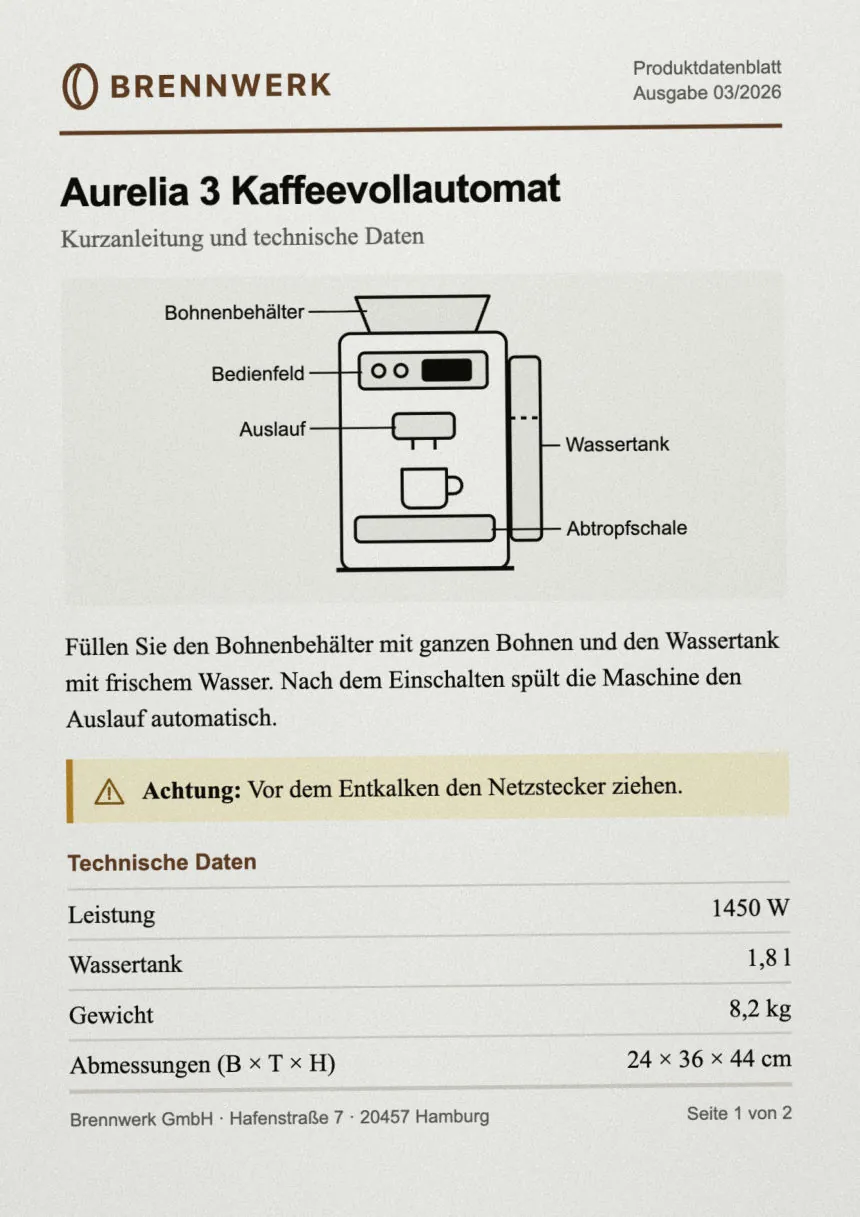
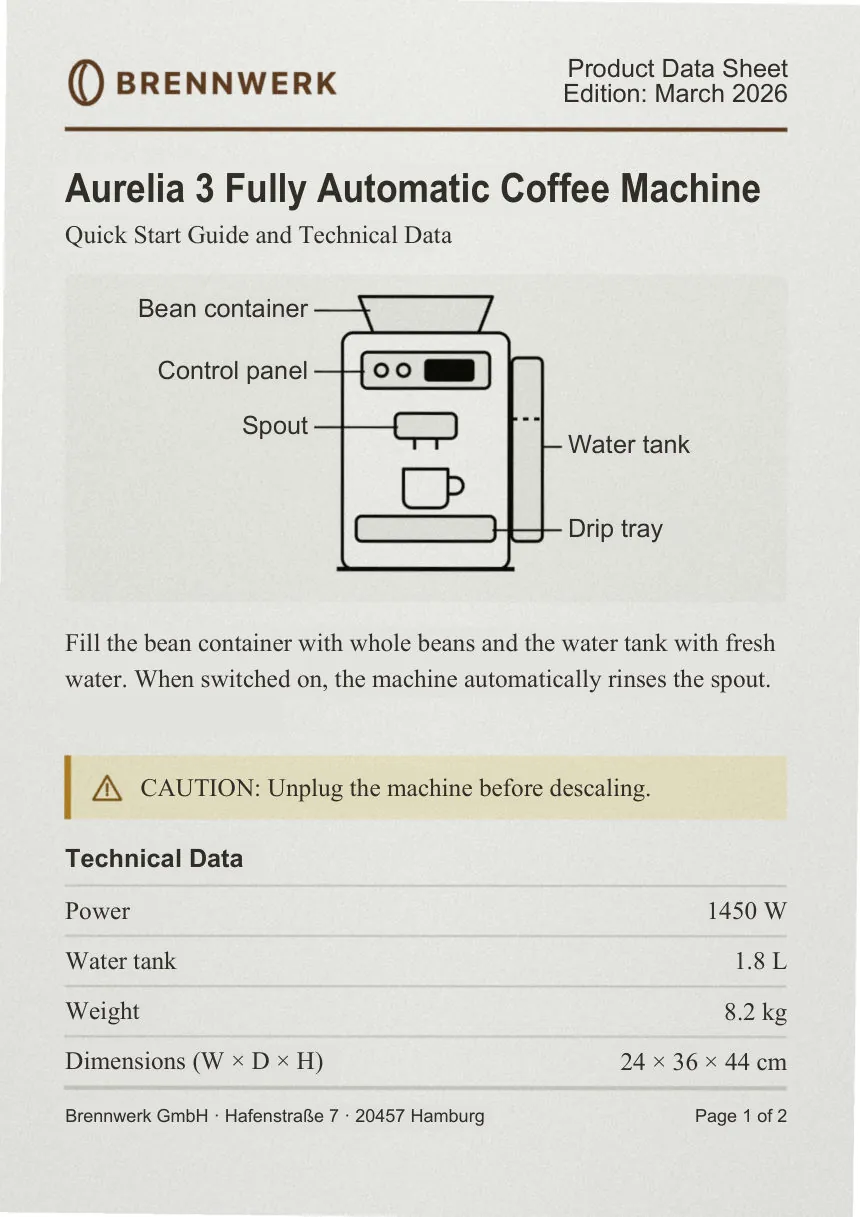
Every line read twice.
Each line of a scan is read a second time, on its own. Where the two readings differ, the line is marked for you to check.
Stamps and signatures noted.
They stay on the page as they are, and a translator’s note gives what each one says: “[Seal: …]”, “[Signature]”.
A photo of a page, too.
Save it as a PDF and upload it. A tilted or shadowed page is straightened and evened out before it is read.
Then translated like any document.
Once the page is read, a scan gets the same process as a typed document.
- Read in full first.
- What the document is about, who is in it, its terms and tone, before a line is translated. Every name and term is fixed to one translation.
- Text in pictures, too.
- Labels in drawings and charts are read and translated with the same terms as the text.
- A second reading.
- An independent review of every paragraph, then proofreading.
- Every number checked.
- Each number, date and name is matched against the original, with a translation audit for contracts, certificates, medical reports and technical documents.
Three steps. No email back and forth.
-
Upload your file.
The language and the kind of document are detected. Check them and choose the language to translate into.
-
See the price, then click Translate.
The price includes VAT. Before you pay, you see the price and the first page of your original. Nothing starts until you click.
-
Review, correct, download.
An email tells you when it’s ready. Read the original and the translation side by side, correct anything you want once, and download it as PDF or Word.
Questions
Can I upload a photo of a page?
Yes. Save it as a PDF and upload it. A tilted or shadowed page is straightened and evened out before it is read.
What if a line is read wrong?
Every line of a scan is read twice, on its own. Where the two readings differ, the line is marked for you to check. You can correct any paragraph side by side with the original, and the corrected document is laid out again.
Which languages can a scan be translated into?
Into languages written in Latin, Cyrillic or Greek letters, for now. A scan in any of the languages Glotbee reads can be translated into those. For other languages, upload a Word file.
Which files can I upload?
PDF (scanned or not), Word (DOCX), Markdown and HTML files, up to 50 MB.
Is the text in pictures translated too?
Yes: text in drawings, charts and photos on the page is read and translated with the same terms as the rest. When personal data masking is on, text inside pictures and scanned pages is not read, and stays as in the original.
Also translated here
Have a document waiting?
Upload it, see the price, and decide.
Translator? See Glotbee Professional